

Home maintenance, remembered.
The boiler service, the smoke alarms, the filter nobody can find. Homesake knows what needs doing around your home and tells you when, so you don't have to keep it all in your head.
- Free
- No account
- No ads
- Works offline
Sound familiar?
A home is a lot to remember
- "When did we last get the boiler serviced?"It's due every year. Miss it and the warranty can lapse.
- "Which filter does the cooker hood take?"The part number is on a label you can't reach.
- "Where's the stopcock?"Usually asked with water on the floor.
- "Have we tested the smoke alarms this year?"Monthly is recommended. It's easy to lose track.
Homesake remembers all of it. You just do the job.
What it does
Everything your home needs, in one calm place
Quick setup
Set up in two minutes
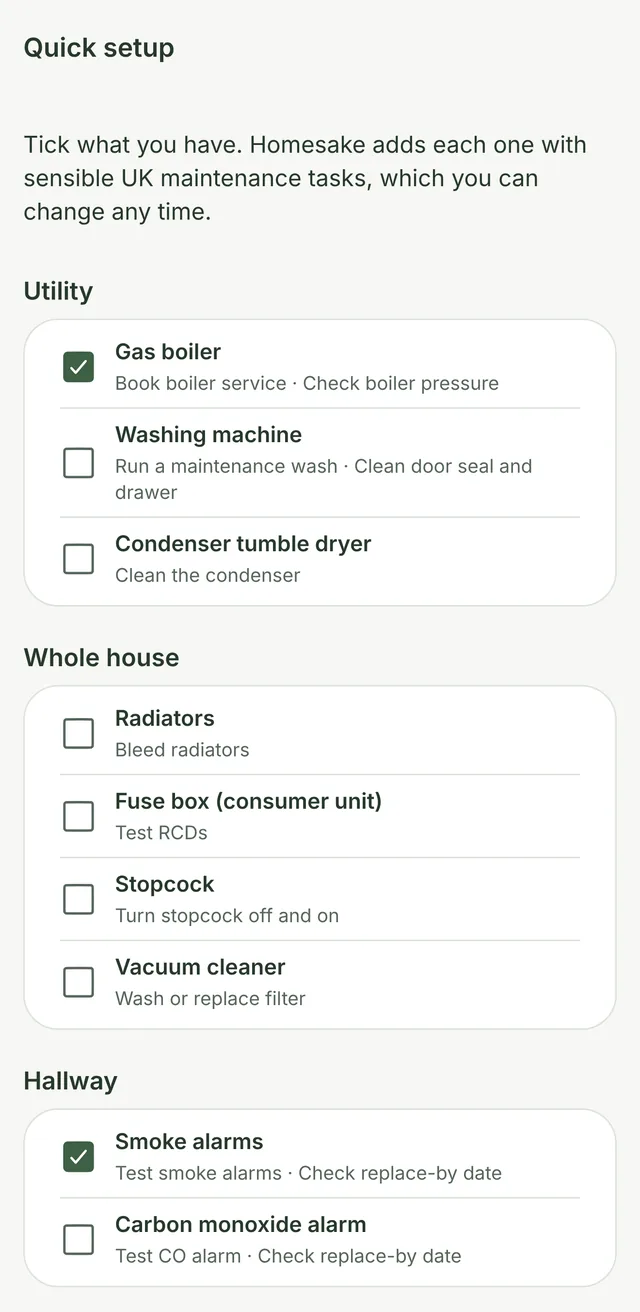
Tick what you have. Homesake adds the right maintenance jobs for each one, based on common UK guidance, so you start with a full plan instead of a blank page.
- 16 ready-made templates, from boilers to gutters
- Rooms, items and jobs created for you
- Change anything, or skip and add your own
Today
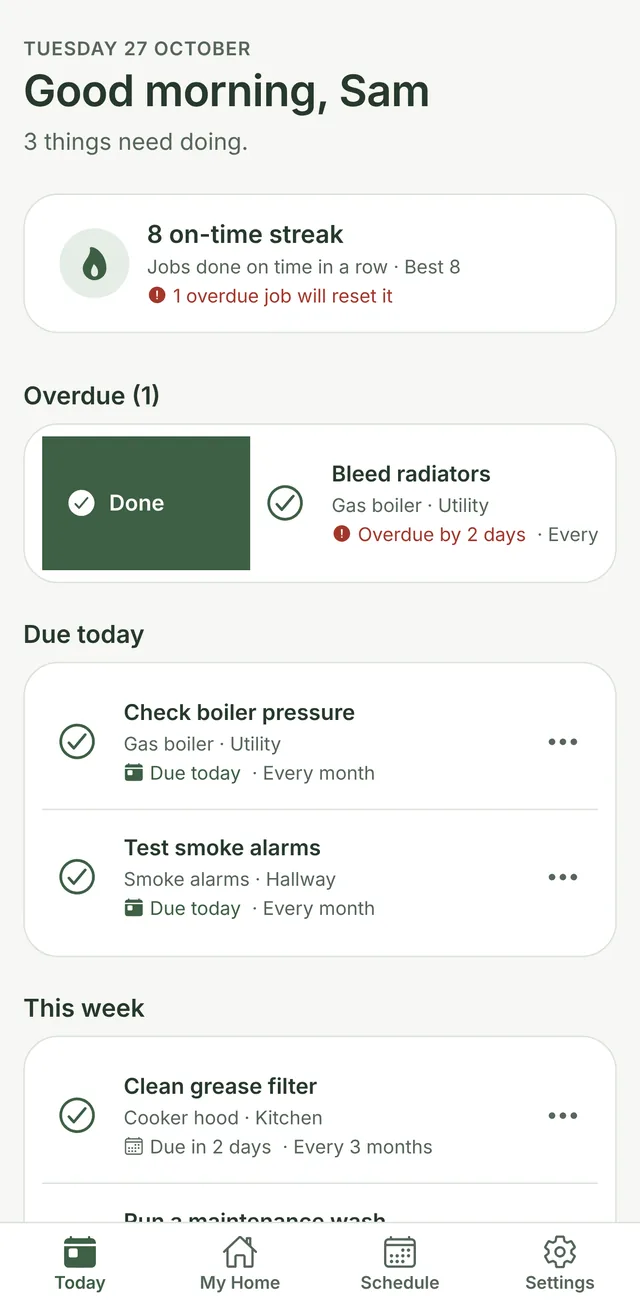
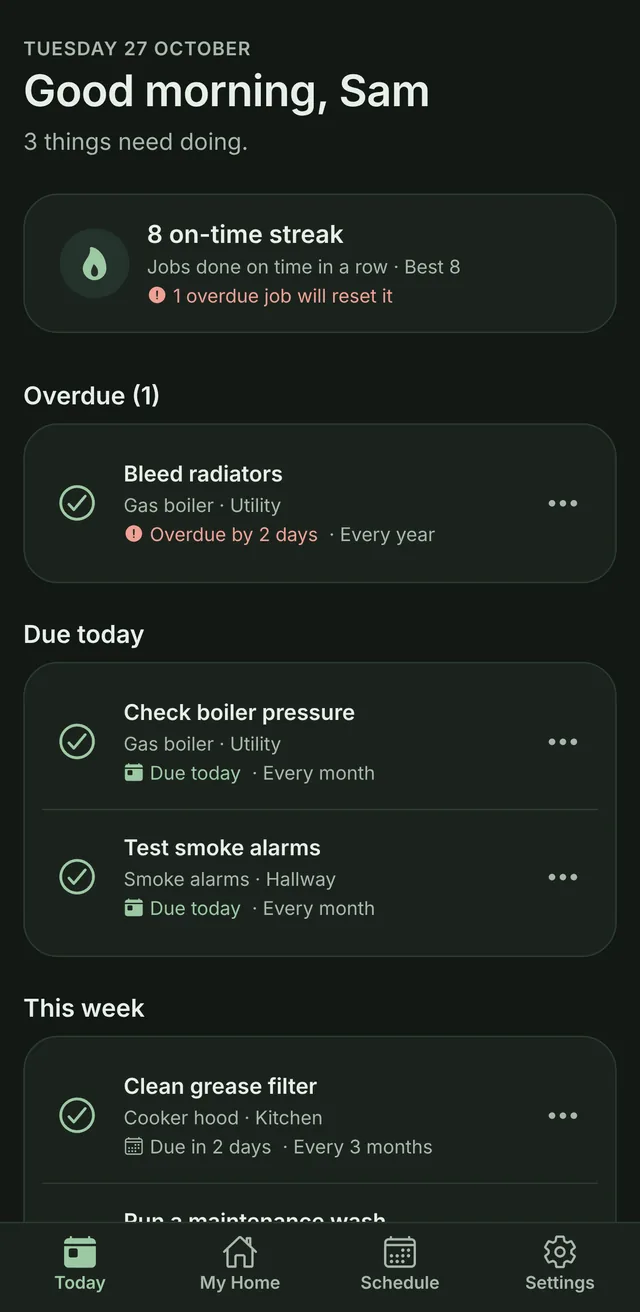
Swipe when it's done
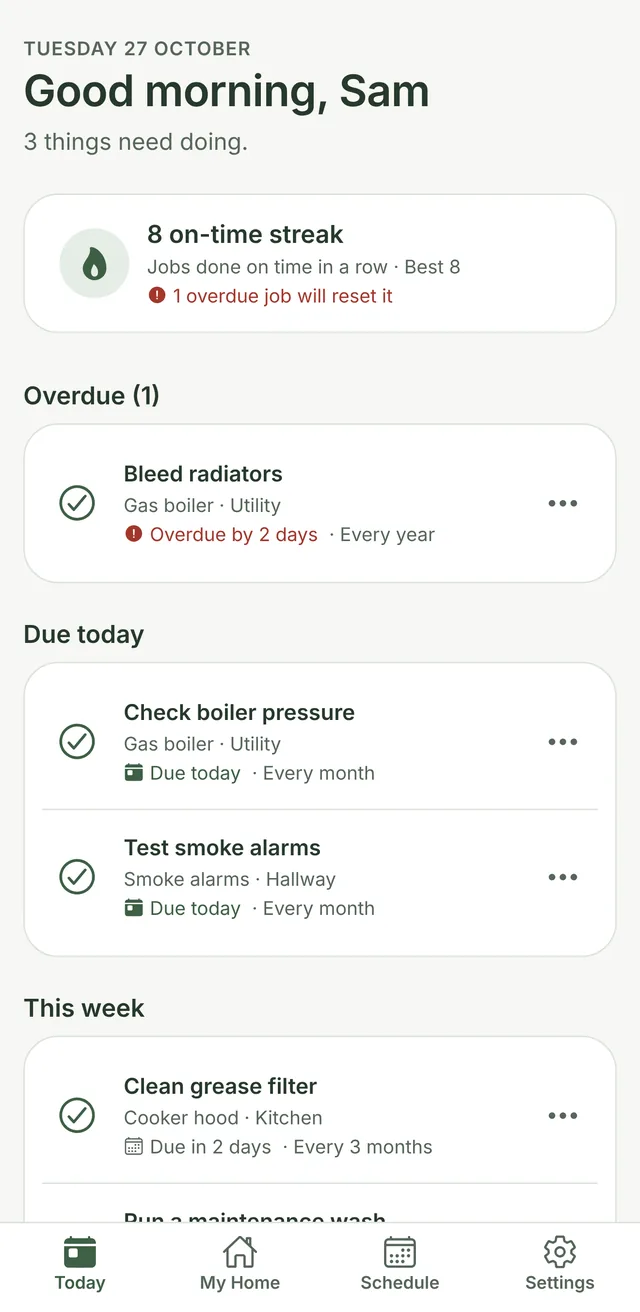
Open the app and see what needs doing now, today and this week. Swipe right when a job's done, left to do it tomorrow. Homesake works out the next date for you.
- A gentle reminder on the day, at the time you choose
- Undo, if you swiped by mistake
- An on-time streak that rewards keeping up
Item details
The right part, every time
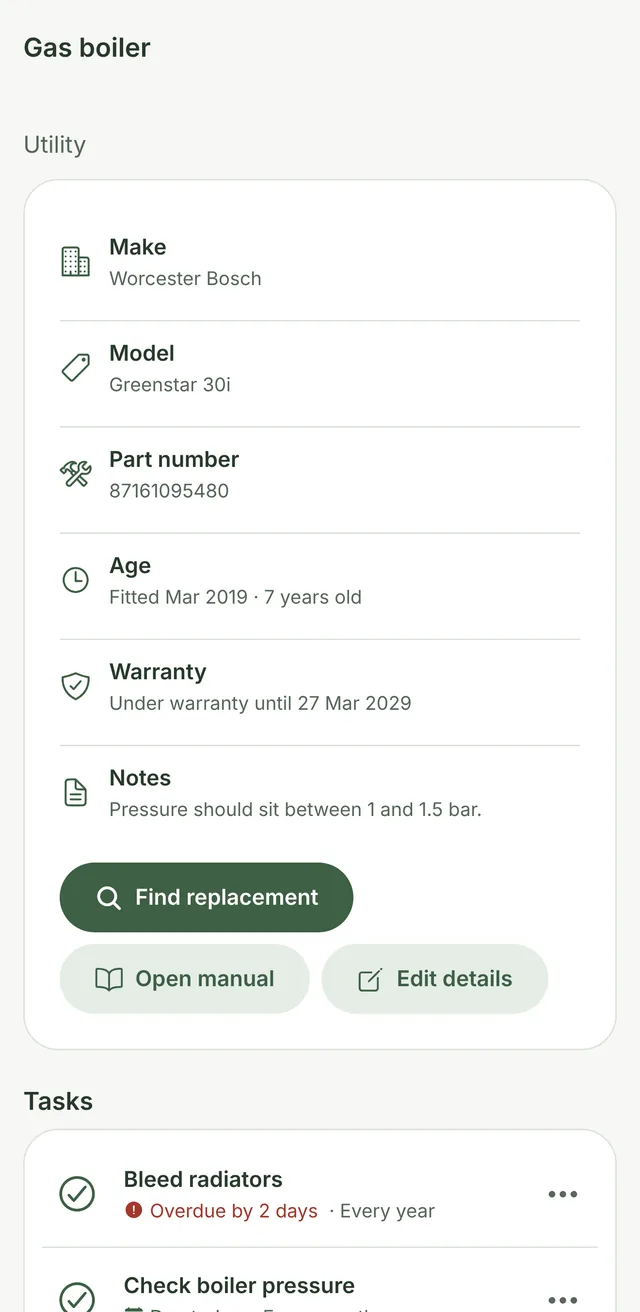
Save the make, model and part number once, with a photo of the label. Next time you need a filter, a bulb or an engineer, the details are already in your pocket.
- Fitted date and age, warranty end date
- A link to the manual, one tap away
- Find replacement searches the exact part
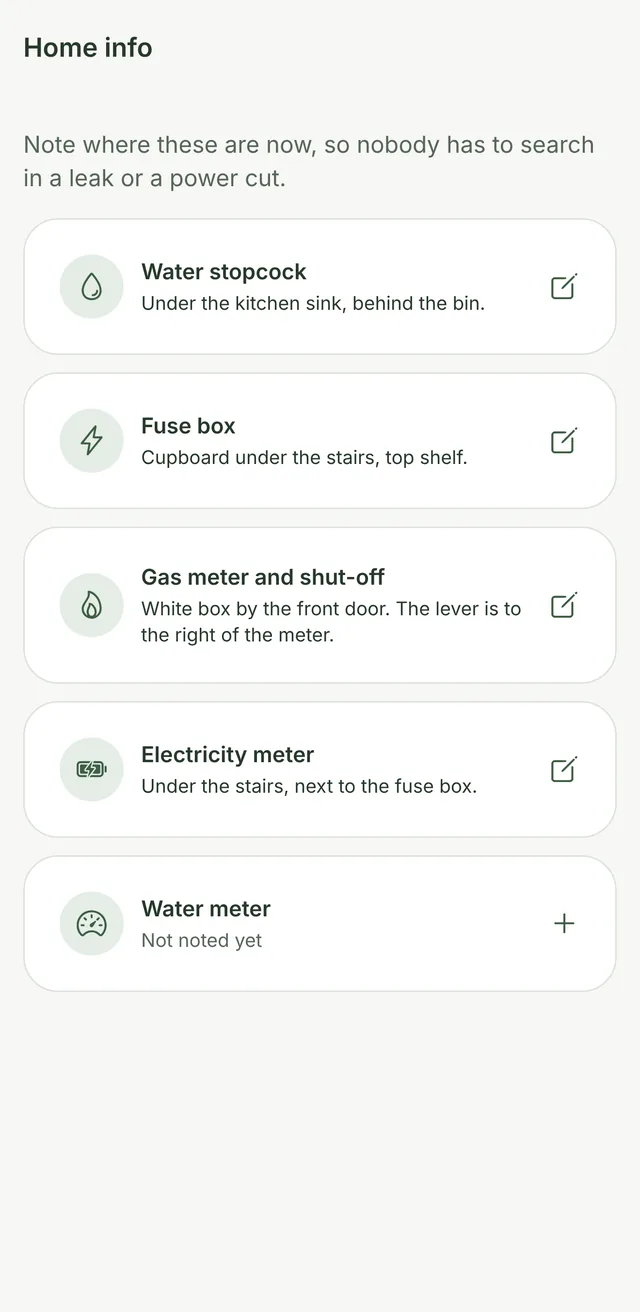
Home info
Know where the stopcock is
Note where the stopcock, fuse box and meters are, with a photo. When there's a leak or a power cut, anyone in the house can find them in seconds.
- Stopcock, fuse box, gas, electric and water meters
- Photos so there's no guessing
- Handy for guests, sitters and future owners
History
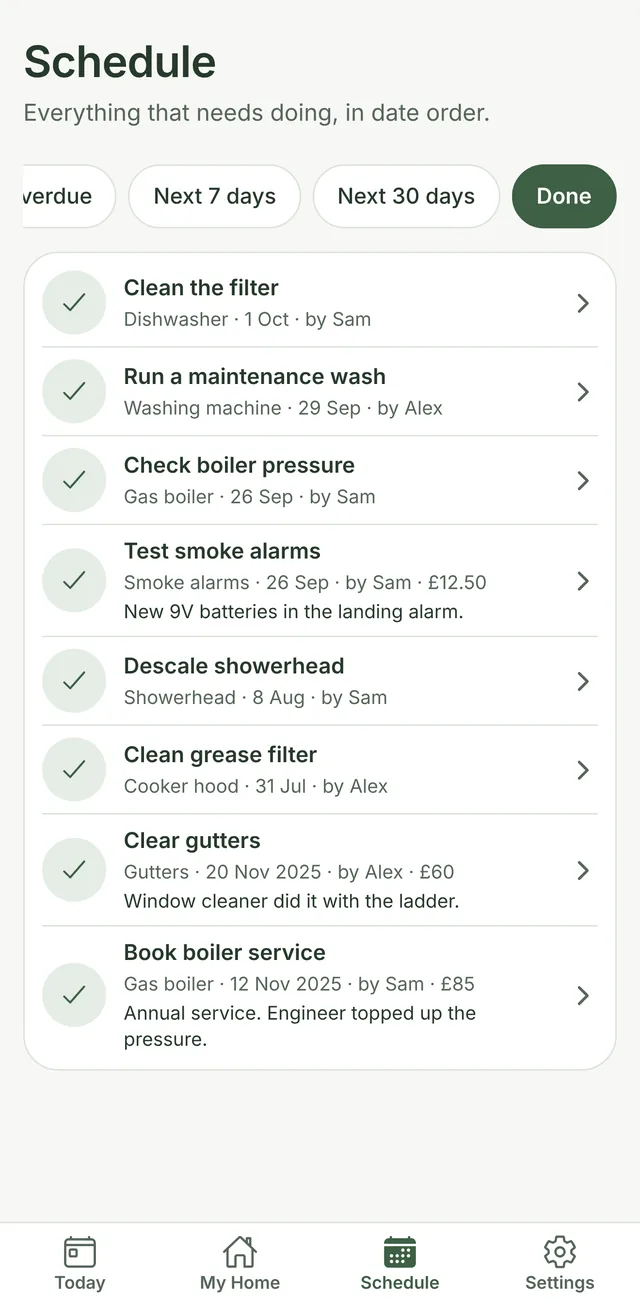
A record of every job
Every finished job is kept: who did it, when, and what it cost. Export the lot as a tidy home logbook PDF for a buyer, a landlord, an insurer or your own files.
- Costs and notes on any past job
- Total spent per item
- A logbook that adds value when you sell
And the thoughtful extras
Built for real households
Shared fairly
Add the people you live with, assign jobs, and see who did what.
Home Screen widget
See what's next on your Home Screen or Lock Screen, without opening the app.
Reminders that don't nag
One quiet notification on the day something's due. Nothing more.
Find anything fast
Search by name, model or part number, across every room.
Easy on the eyes
Light and dark mode, larger text, and full VoiceOver support.
Yours to keep
Back up to a file and restore it on a new phone. No lock-in.
Why Homesake
Better than a calendar or a spreadsheet
Calendar reminders don't know what a boiler needs. Spreadsheets don't remind you of anything. Homesake was made for exactly this.
| Feature | Homesake | Calendar reminders | Spreadsheet or notes |
|---|---|---|---|
| Knows what UK homes need | Yes | No | No |
| Reminds you on the day | Yes | Yes | No |
| Moves the next date when you're late | Yes | No | No |
| Part numbers, photos and manuals | Yes | No | If you type them in |
| Who did it and what it cost | Yes | No | If you keep it up |
| Home logbook PDF | Yes | No | No |
Private by design
Your home stays on your phone
Homesake has no servers that receive your data, so there's nothing to leak and nothing to sell. Read the privacy policy.
- No accountOpen the app and start. Add your name if you like.
- No ads, no trackingNo analytics or advertising code of any kind.
- Works offlineNo signal in the loft? It works the same.
- No lock-inBack up to a file whenever you like.
Questions
Good to know
When can I get it?
Homesake is coming to the iPhone App Store soon. Join the early access list below and we'll send you one email the day it's out.
How much does it cost?
Homesake is free to download and use. No ads, no subscription.
Do I need to make an account?
No. Open the app, type your name if you'd like a friendly greeting, and either tick what you have or skip straight in.
Is it only for homeowners?
Not at all. Renters can use it for the jobs that are theirs, like filters, alarms and appliances, and keep a dated record of what's been done.
Can my partner or housemates use it?
Homesake works on one shared phone today: add everyone in Settings, assign jobs, and it records who did each one. Syncing between phones isn't available yet.
Is there an Android version?
Not yet. Homesake is launching on iPhone first.
What happens to my data?
It stays on your phone. We never see it. Your iPhone backup includes it, and you can save your own backup file from Settings at any time.
Early access
Be first to know when it's out
Leave your email and we'll send one message the day Homesake lands on the App Store.
One email, then we delete your address. See the privacy policy.